Connecting for the first time
If you haven’t connected the add-in yet, follow the steps in Connect the Revit Add-In to Your Account. When prompted, pick the team you want to connect to.Switching between teams
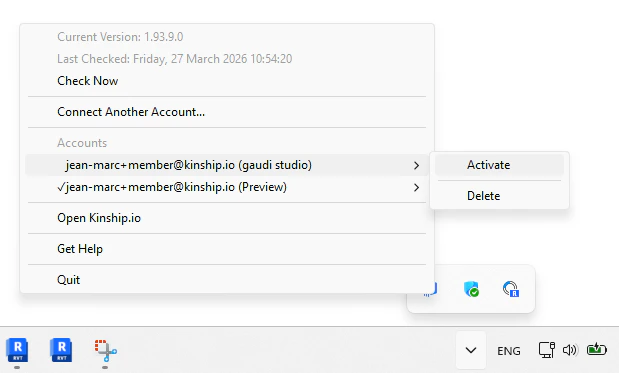
- Open the Kinship taskbar menu.
- Select the team you want to switch to.
- Click Activate.
If you don’t see the team you want to switch to, you need to activate the addin with that team first following the steps in Connect the Revit Add-In to Your Account